
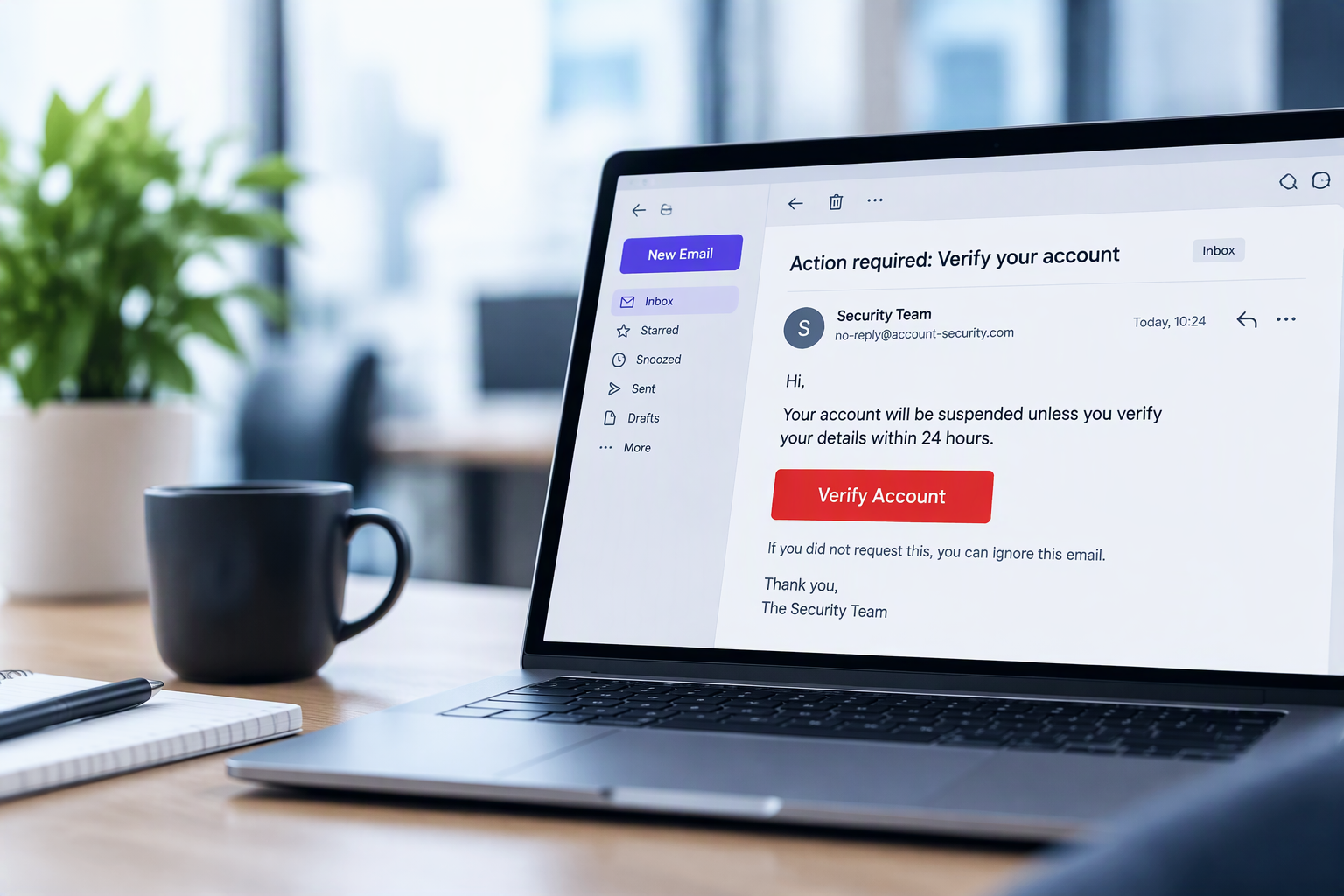
Gone phishing? Don’t take the bait.
Phishing emails are designed to make you act before you think.
A familiar company name. An urgent request. An unexpected invoice. A Microsoft 365 password that's apparently about to expire. Or perhaps that long-lost relative who has suddenly remembered you in their will.
Some attempts are obvious. Others can be remarkably convincing.
The good news is that there are usually clues.
Can you spot a phishing email?
Before clicking a link, opening an attachment or replying to an unexpected request, take a few seconds to look for these warning signs.
Check the sender
Does the email address look right?
Check the sender
Don't rely on the display name. Check the actual email address for misspellings, additional words or an unfamiliar domain.
Unusual urgency
Is the message pressuring you to act quickly?
Why the rush?
Phishing emails often create urgency to make you act before you think. Be cautious of unexpected deadlines, threats or demands for immediate action.
Look before you click
Does the link go where you're expecting?
Look before you click
A button can hide the real destination. On a computer, hover over links before opening them and check the address carefully.
Unexpected attachments
Were you expecting to receive that file?
Think before opening
Invoices, delivery notices and shared documents can disguise malicious files. If you're not expecting an attachment, verify it with the sender first.
Unusual requests
Does something about the request feel out of place?
Stop and verify
Be cautious of unexpected requests for payments, bank detail changes, gift cards or confidential information. Verify unusual requests another way.
Never share credentials
Is an unexpected email asking you to sign in?
Protect your login
Don't enter your password through a link in an unexpected email. Instead, go directly to the service or website and sign in from there.
Spotted something suspicious?
Don't panic, and don't click it.
If you're unsure whether an email is genuine, stop and take a moment before doing anything else.
Don't click
Don't click links or open unexpected attachments. Stop and check the message first.
Don't reply
Don't respond to the message or provide personal, financial or business information.
Verify
Contact the person or organisation independently using contact details you already trust.
Report it
Let your IT or security team know so the message can be checked and appropriate action taken.
Act quickly
If you've already clicked, opened something or entered your password, report it immediately.
Already clicked or entered your password?
Don't wait to see what happens. Report it immediately. The sooner a potential compromise is investigated, the sooner action can be taken.
THE NEXT LINE OF DEFENCE
Spotting phishing is only part of the answer.
Your employees are an important line of defence. But keeping malicious emails out of their inboxes in the first place is even better.
Email security adds another layer of protection, helping identify and stop phishing, malicious links, impersonation attempts and unwanted email before they reach your people.
Because the safest phishing email is the one your team never receives.
PROTECT THE INBOX
Your employees are an important line of defence, but they shouldn't be the only one.
RJ Cortel provides advanced email security designed to identify and stop phishing, malicious links, impersonation attempts and unwanted email before they reach your users.
Stop threats before they reach your people
More than just a spam filter.
Email threats don't all look the same, so protecting your inbox shouldn't rely on a single line of defence. Multiple layers of protection help identify suspicious messages, malicious content and impersonation attempts before they reach your users.
Phishing protection
Identifies suspicious emails designed to trick users into clicking links, opening files or sharing sensitive information.
Impersonation protection
Helps identify attempts to imitate trusted colleagues, senior employees, suppliers and other legitimate senders.
Malicious content
Provides additional protection against dangerous links, attachments and other malicious content delivered through email.
Unwanted email
Helps prevent spam and unwanted messages from reaching your users, reducing noise as well as risk.
The right protection depends on your environment.
Rather than taking a one-size-fits-all approach, RJ Cortel can review your existing email setup, identify where additional protection may be needed and recommend an approach appropriate for your organisation.
How well protected is your inbox?
Not sure whether your current email security is doing enough?
RJ Cortel can review your existing setup, identify potential gaps and talk you through the options available to strengthen your protection. No hard sell, just a straightforward conversation about where you are today and whether anything could be improved.